Released CAESES 4.4.1
We have released a new maintenance version of CAESES® for the latest version 4.4. The new release can be downloaded here. Here is a selection of issues that have been resolved:
Bug Fixes
- Resolved an editor problem when running CAESES® on Win10.
- Dakota optimization strategies showed problems with handling of NaN’s which now works again.
- Fixed a backward compatibility problem for very old project files which led to missing software connector entries.
- Fixed the angle setting for interpolation curves in the Y‑plane (see compatibility notes below).
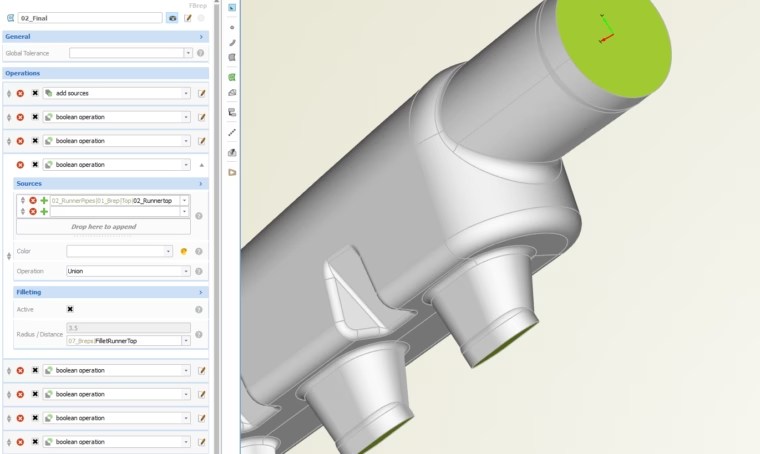
CAESES now handles Win10 editor problems when selecting objects with many entries
Improvements
In addition to these important bug fixes, there are also a few cool things that makes CAESES® 4.4.1 an interesting update, e.g.:
- Substantial performance boost for the object editor, in particular for objects with many entries (feels great!).
- Upgrade to the latest Dakota version, for the most efficient use of today’s optimization strategies.
- The curvature settings for the FSpline curve type can now be accessed and used through the object editor.
- If you apply feature definition changes, existing feature instances will automatically update their interface (no manual deselect & select required anymore!).
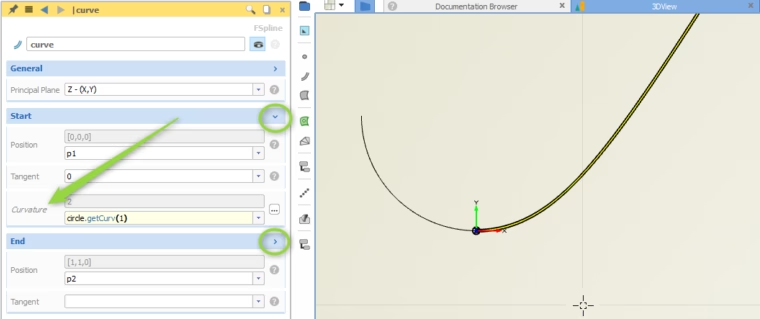
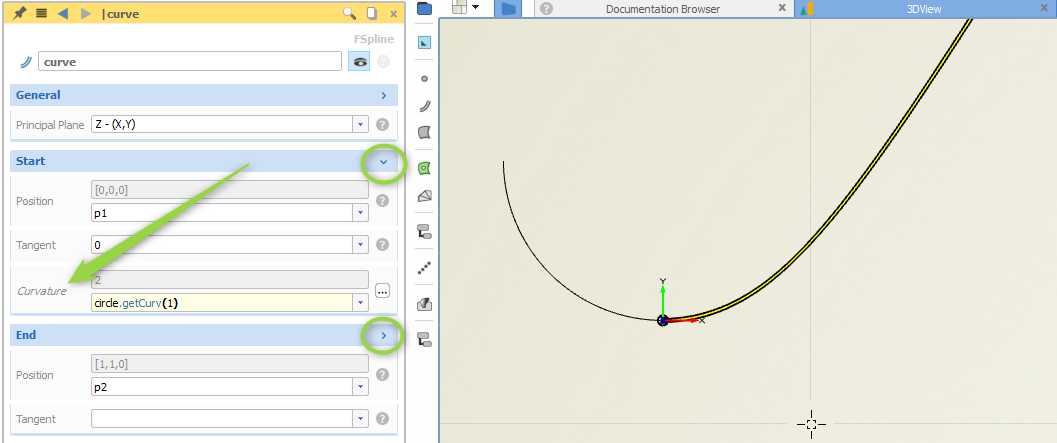
Optional curvature settings for the fspline curve type, e.g. to receive and set curvatures from adjacent curves
Compatibility Notes
We had to correct the angle settings within 2D interpolation curves when users add the angles optionally to the point data. The internal angle usage is incorrect in version 4.4.0. All you need to do to have compatibility again is to subtract 90 degrees from your input angles. Note that this fix might effect existing models only if the interpolation curves are modeled in the Y‑plane.
Changes Log and Download
All details about the new version can be found in our changes log. We really recommend to update! In order to download the new installation package, please follow the link below: