Released CAESES 4.2

We have released version 4.2 of our geometry modeling and optimization software CAESES®. All details about new features, changes and bug fixes can be found in our changes log. Check out some of the highlights below!
Sliders for Design Variables
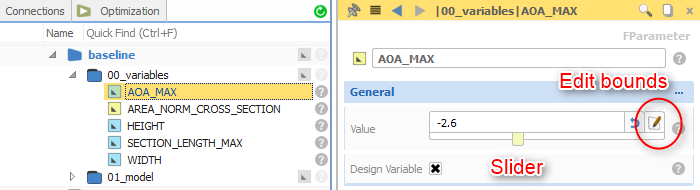
This has been on our list for quite a while, and now it’s ready: Sliders for design variables! You can specify lower and upper bounds for your design variables as well as a default value for resetting. This is a great feature when setting up models so that you can quickly check variations and the feasible range interactively. In addition, these lower and upper bounds are automatically set at the design engines (algorithms) when you choose a new design variable. This drastically accelerates the optimization setup process, particularly if you have many design variables that you add to a design engine. In order to set the lower and upper bounds, just watch out for the new edit icon next to the value of the design variable.
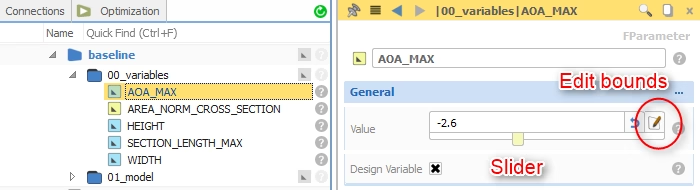
New slider control for design variables
Quick Access to Design Variables
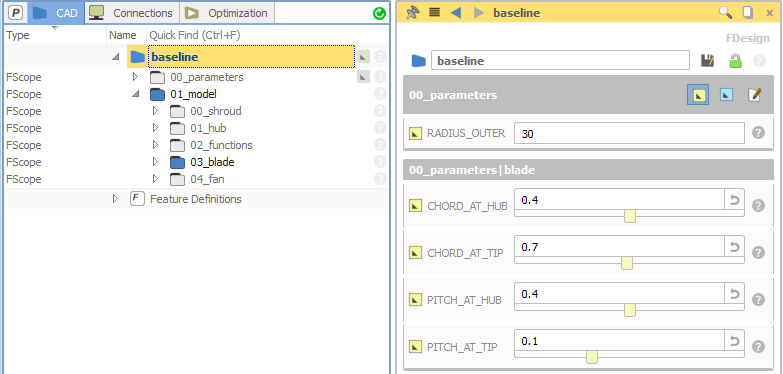
This is something you will love: The design node (e.g. baseline) and each scope now contain information about your design variables and parameters that exist in the child tree nodes. The variables are sorted according to their scope. This makes it very easy to change the important variables of your model right away, at the top level of the project. You don’t have to search for your variables anymore in the depths of your project — just click on the parent nodes to check their content. An indicator (grey parameter icon) in the tree shows you whether variables exist in the scope. You can choose to show design variables or also parameters, and you can even edit the bounds of the design variables in this interface. These options are given in the header of the widget. This new and quick overview is ideal to test the bounds of your model and to adjust them in a fast and convenient way.
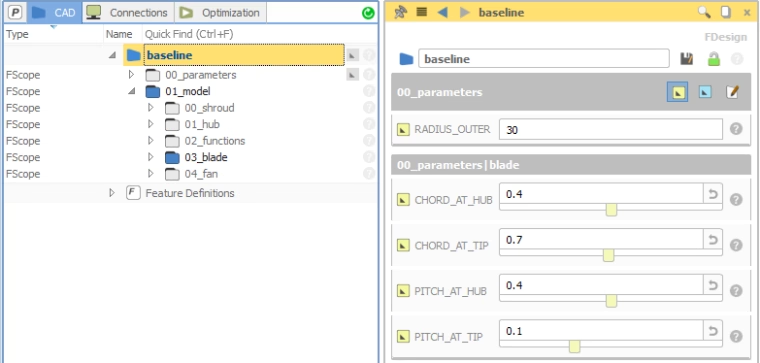
The design node now shows the project design variables for quick access
The design node now shows the project design variables for quick access[/caption] Here is a short video that shows these sliders in action:
Review of Advanced Optimization Methods
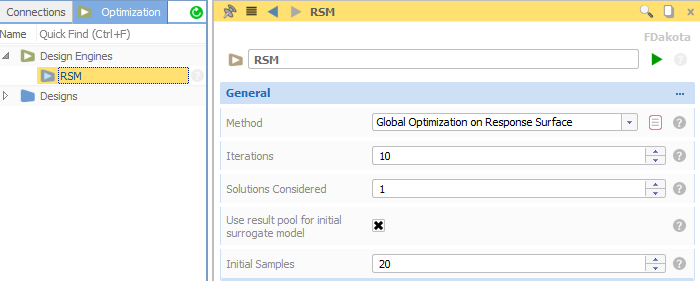
We have also reviewed the algorithms of our advanced optimization add-on. The response surface methods have been improved for finding a global optimum of expensive engineering applications. We have also added a method to run several local optimizations at the same time from different starting points. This allows you to make extensive use of your HPC resources by running these kinds of optimizations in full parallel mode.
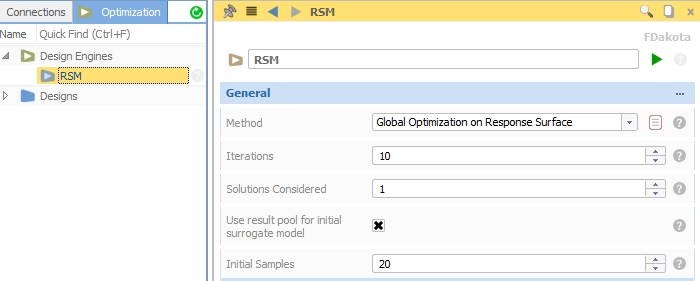
Review of response surface techniques
Robust Geometry Operations
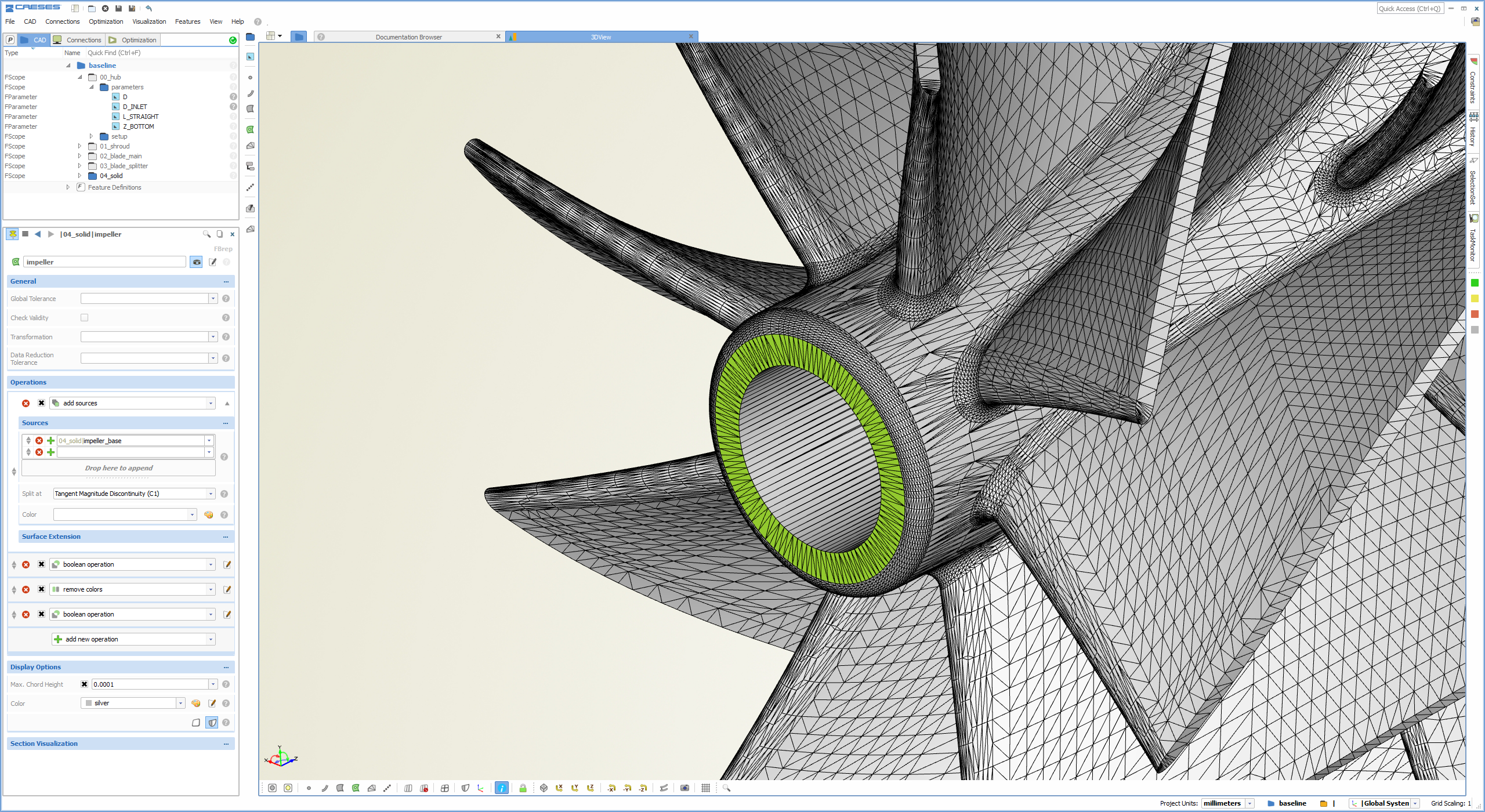
We have had a full review of the core methods in the geometry kernel of CAESES®. In particular, Boolean operations and trimming methods for the parametric modeling have been further improved to be more stable during tricky variations. There have been some more important improvements for the fast triangulation and watertight BRep creation of large unclean data sets, e.g. for the import of NURBS surface patchworks with gaps and overlapping regions.
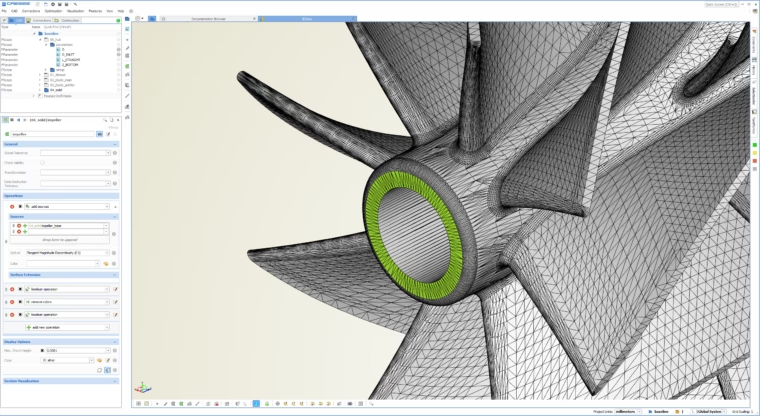
Robust Boolean operations during variation
CAESES Add-In for ANSYS Workbench
There is a first beta version available of a new CAESES® add-in for the ANSYS Workbench. With this you can make use of your CAESES® geometries in ANSYS without any scripting — just load them with a few clicks and control the model parameters directly within the ANSYS environment. Check out the corresponding tutorial in the section “Integrations” of the documentation browser. We look forward to your feedback on this — please feel free to get in touch with us if you are interested in it.
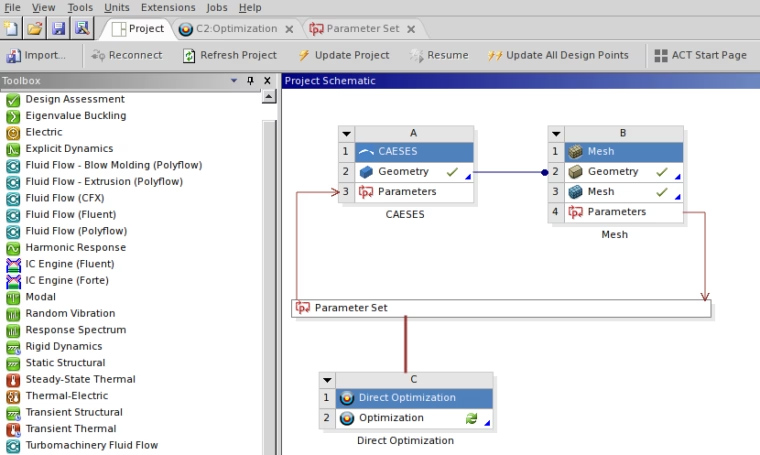
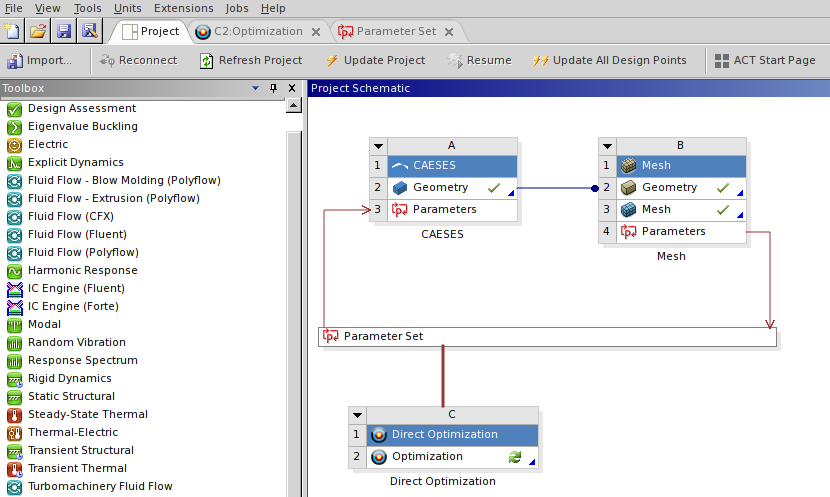
Easy-to-use CAESES add-in for ANSYS