New Major Release: CAESES 5
To begin the new year on a positive note, and hopefully soon leave all the complications of 2020 behind us, we are more than happy to announce the official release of CAESES 5, which is now available for download!
After many years of development, CAESES 5 is the beginning of the next generation in the development of CAESES, both in terms of technology and user experience. It brings along exciting new functionality to enable and ease many tasks solved by our users. CAESES 5 represents a completely new platform upon which the future versions of CAESES will build, creating the foundation for many innovative developments.
Come along for a test drive and get an idea of what to expect!
More Power and Speed
CAESES 5 comes with a new fully parallelized and improved software core that is able to exploit the capabilities of modern multi-core processors and thereby allows much faster geometry updates.
Keep working while the update process is still running. No need to wait for minutes for the update to complete when dealing with sophisticated parametric models.
In addition, the processing core is decoupled from the user interface. Meaning, the model update happens in the background, while the user interface stays responsive, allowing you to keep working while the update process is still running.
All in all, this will result in a smoother interaction, especially with large and complex projects.
Update times in CAESES 4 (left) and CAESES 5 (right)
Advanced Rendering
Another change at the core of CAESES is related to the rendering engine. The new, advanced rendering engine of CAESES 5 makes your geometry models even more vivid by inducing highly realistic reflections, shadows and transparency.

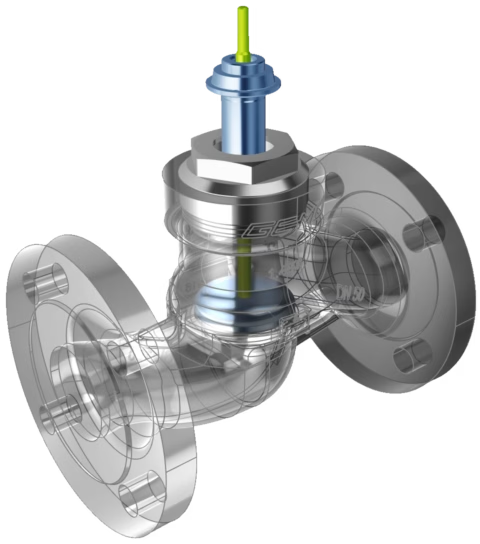
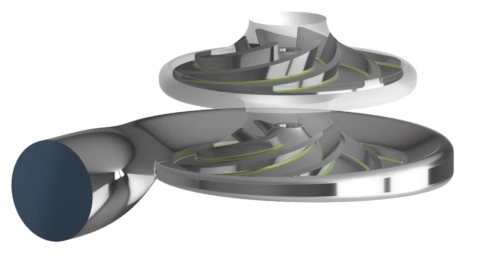
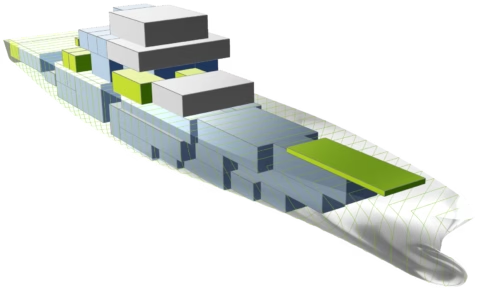
Tune the visualization by defining visual material settings for individual surfaces and parts and place your model in a 3D environment. Quickly switch global settings for render accuracy, or dedicated visualizations like the section and isophotes views.
Beyond the visualizations, the new rendering engine is able to realize a vastly increased rendering speed for large models with numerous facets. It, furthermore, opens new pathways for fast interactive work in the 3D view, as used in the new morphing tools of CAESES 5.
Redesigned Graphical User Interface
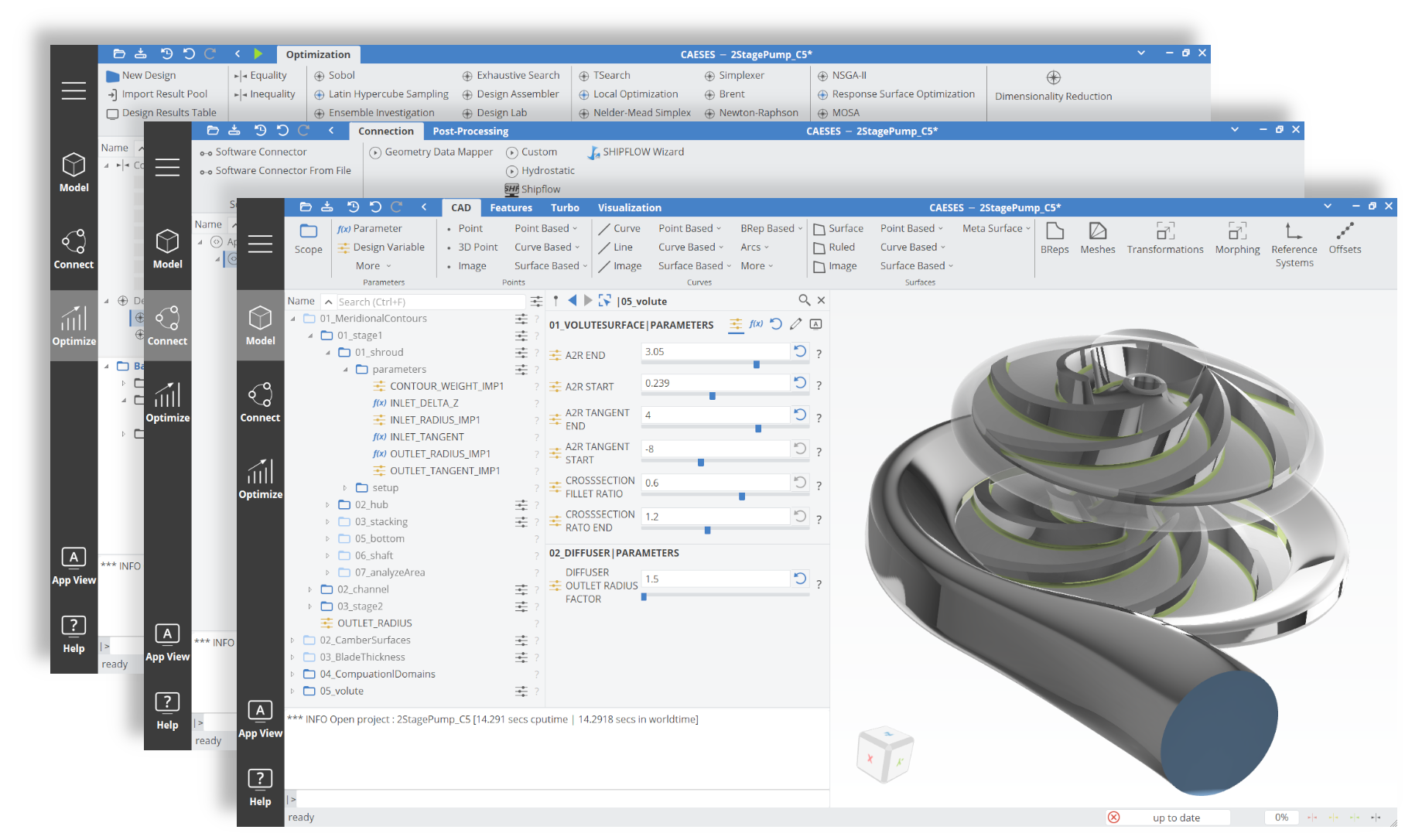
The new graphical user interface of CAESES 5 is designed with the specific intent to better support existing, and especially new CAESES users in their design workflows. It is better organized, more intuitive in its handling and easier to use. CAESES 5 comes with a modern look and feel, including a new design and icon set, light and dark styles.
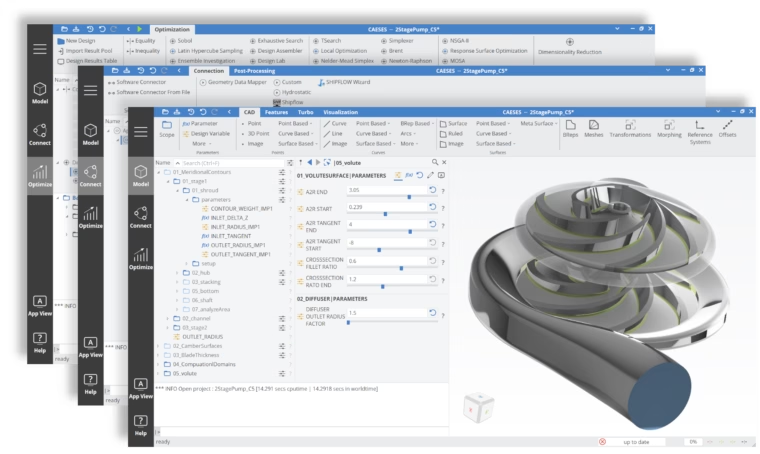
Redesigned graphical user interface
The new user interface introduces the concept of workspaces: complete arrangements of windows and menus fitted to a specific task. Whether you are modeling, connecting external tools, or optimizing, the right workspace includes all the elements you need. Also, clean ribbon menus with sub-registers provide easy access to functionality within a specific context.
Finally, if you are an advanced user or have specific requirements, the user interface is fully configurable and lets you tailor the work environment to your needs.
Easy and Powerful Morphing
Sometimes, creating a new parametric model of your geometry from scratch is unreasonable for the optimization task you want to solve.
Shape morphing allows you to easily import an existing geometry model and reshape your design with regards to the flow and structural performance.
Automating these modifications lets you go from a baseline geometry to an optimization in a matter of minutes!
CAESES 5 further supports this approach with additional morphing methods based on radial basis functions (RBF) for an even quicker, easier, and more flexible parametric variation of imported geometry!
Just put together a few curves or surfaces as source and target geometries, i.e., where you start and where you want to go, compute the deformation, and apply it to your NURBS-based or discrete geometry.
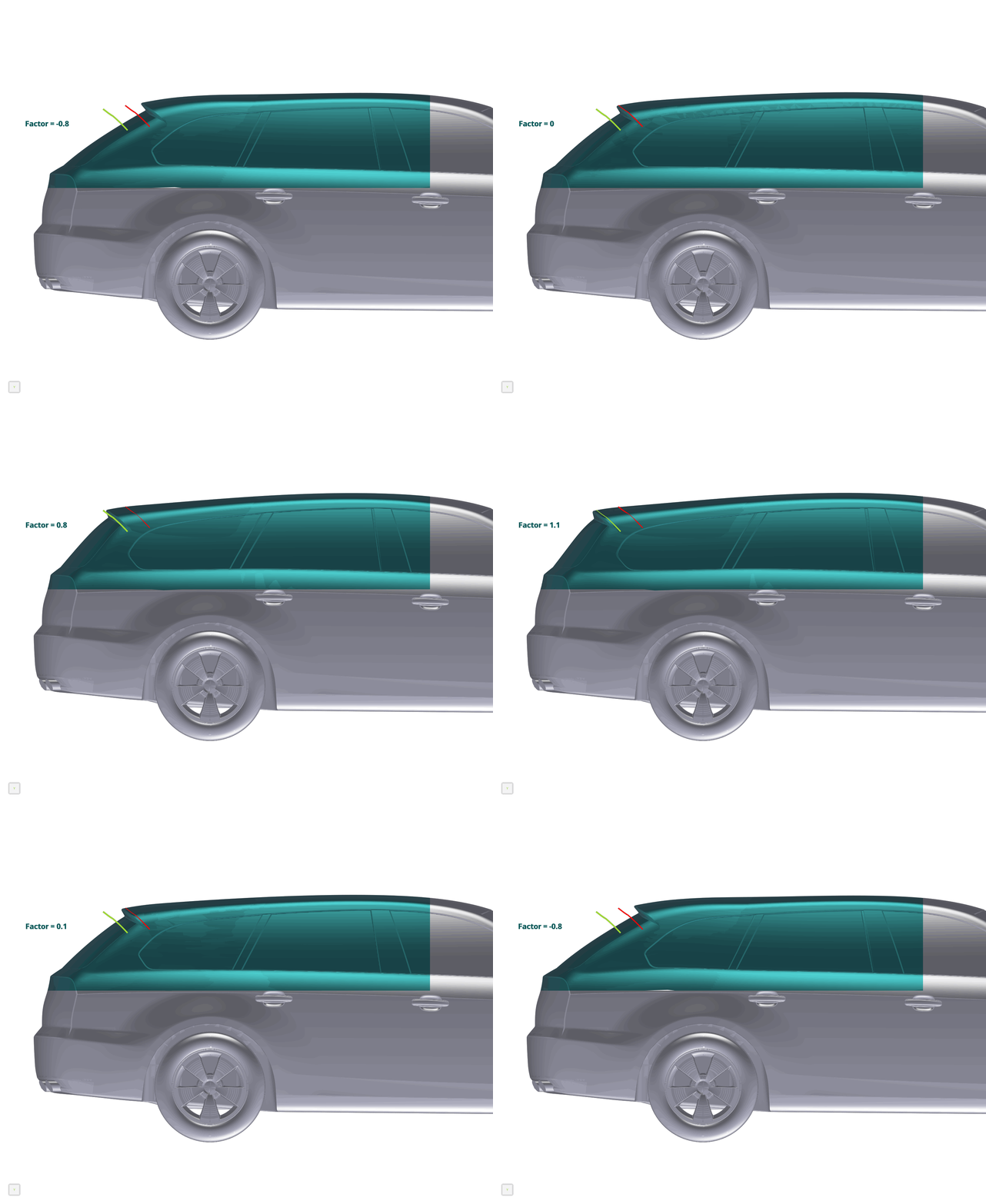
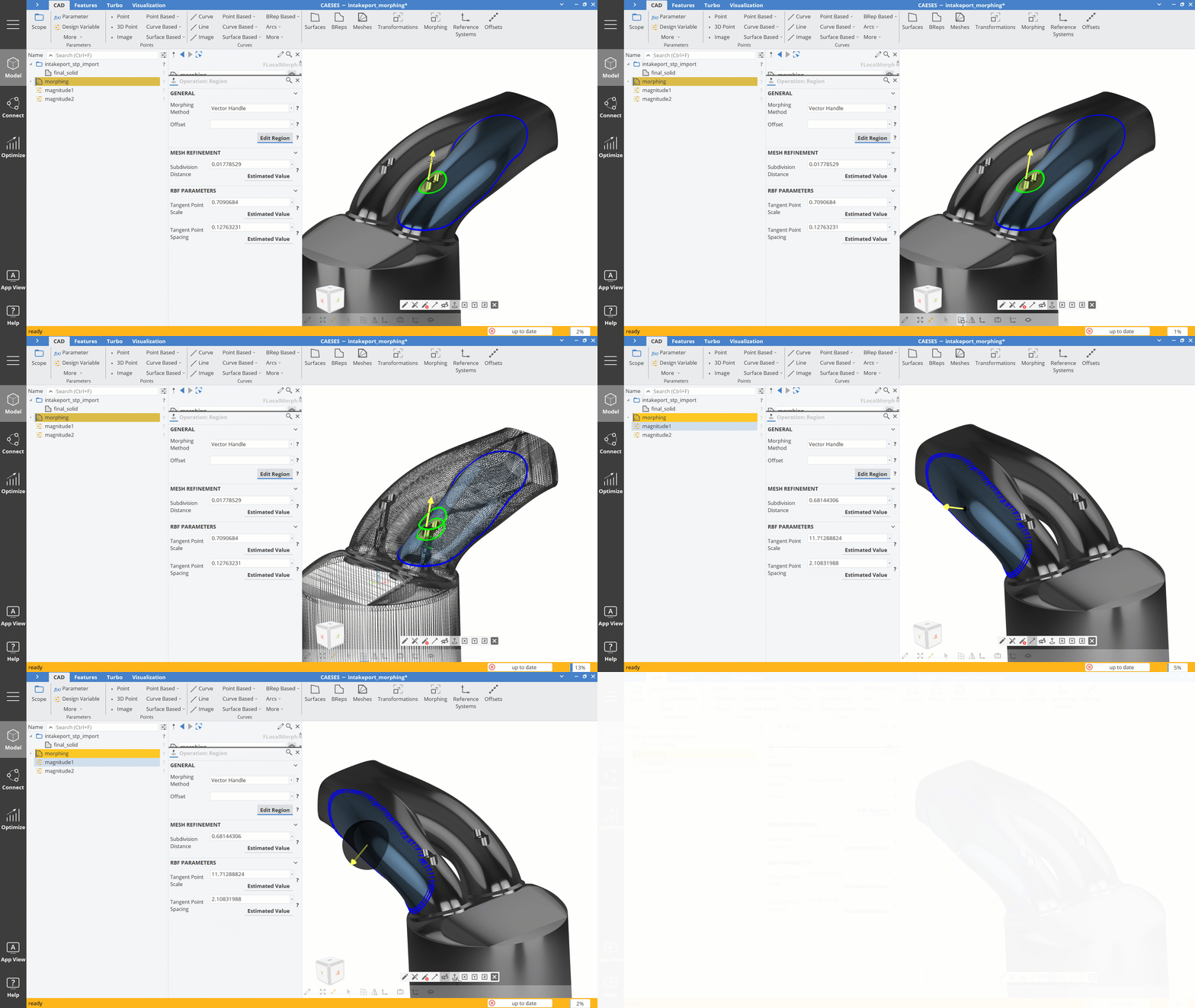
Additionally, discrete geometries can be deformed with an easy-to-use interactive morphing tool. “Spray paint” the region you want to modify, place some handles, and move them either interactively, or by means of design variables.
Faster Optimization in High-Dimensional Design Spaces
The optimization of complex parametric models with many free design variables requires a high number of simulations, which can be prohibitive when dealing with expensive simulations.
The new design space dimensionality reduction method of CAESES 5, which is based on principal component analysis (PCA), translates the original parameterization into a completely new parameter space, where the parameters are uncorrelated (it is not uncommon for a typical parametric model that several parameters have similar effects on specific areas of the geometry, therefore being correlated).
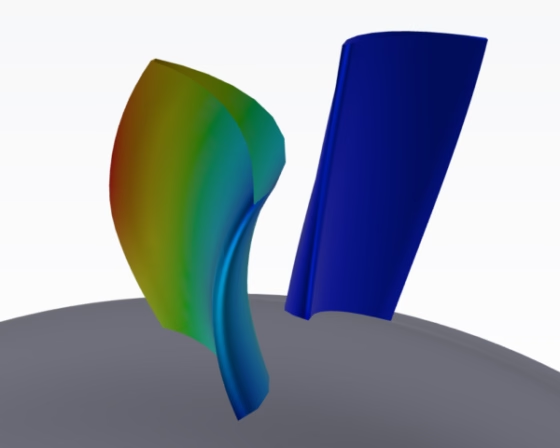
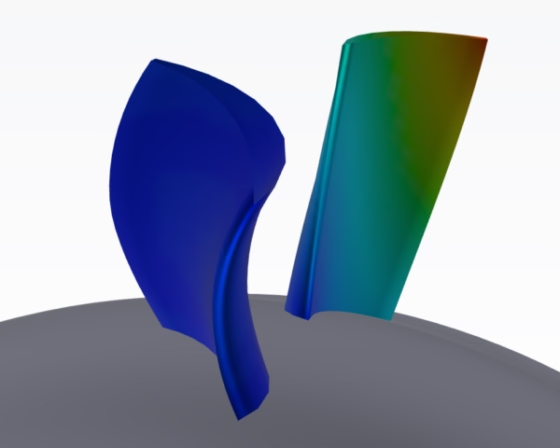
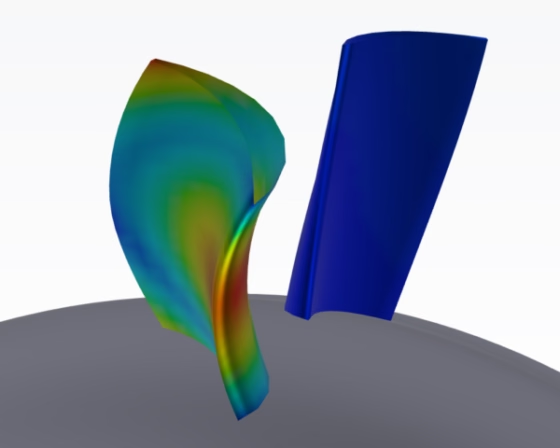
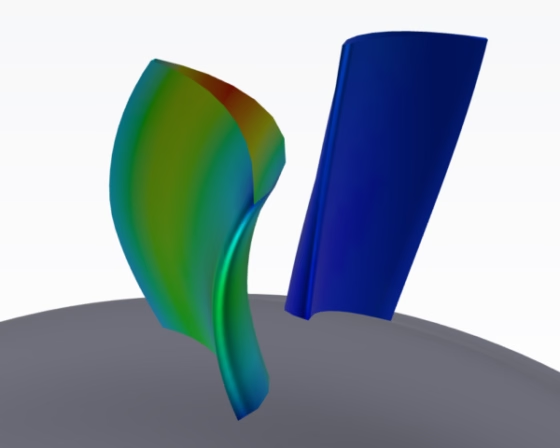
This allows for a massive reduction of the number of free design variables, while retaining most of the model’s variability. Running the optimization in this reduced parameter space leads to a significant speed-up of the optimization process.
Customizable Interfaces for Project Setups
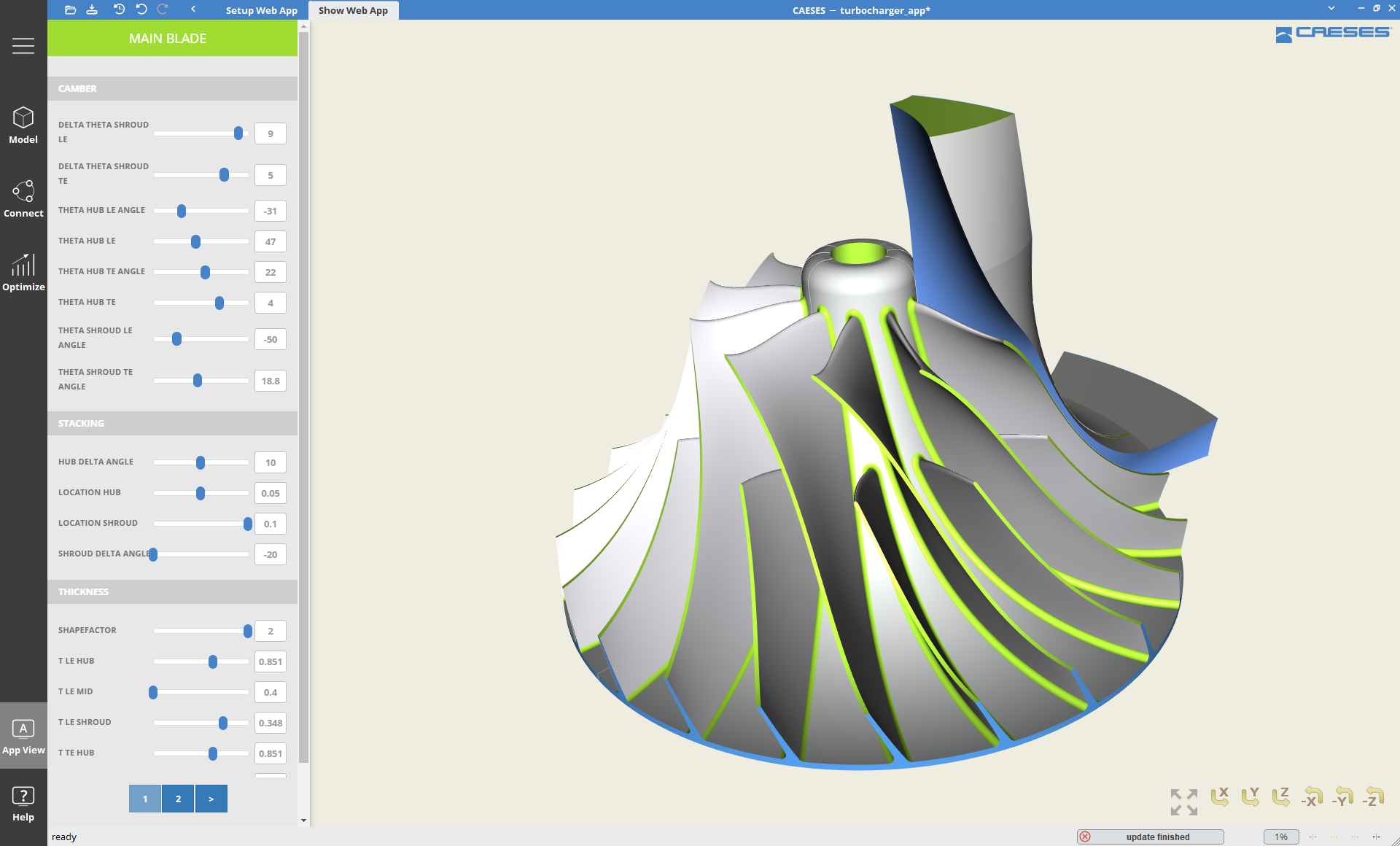
The so-called app view allows you to create a simplified and customized view on a project setup. It can be configured by an experienced CAESES user to share complex projects and workflows with less experienced colleagues, or even customers. Different tasks within the workflow can be split between different pages and typical user interface elements.
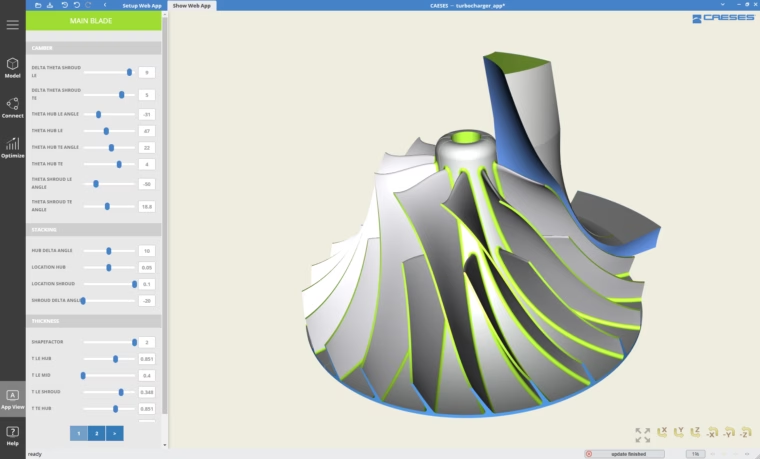
App view with simplified project setup
Finally, this app view can be deployed and used directly within the CAESES interface or via a web browser, in both a local and remote setting.
Easier Modeling and Cleaner Projects
Several improvements on a small scale will ease the modeling process by reducing cumbersome tasks and introducing more flexibility. It also supports you in creating a cleaner and more readily understandable project structure.
Dynamic Object Types
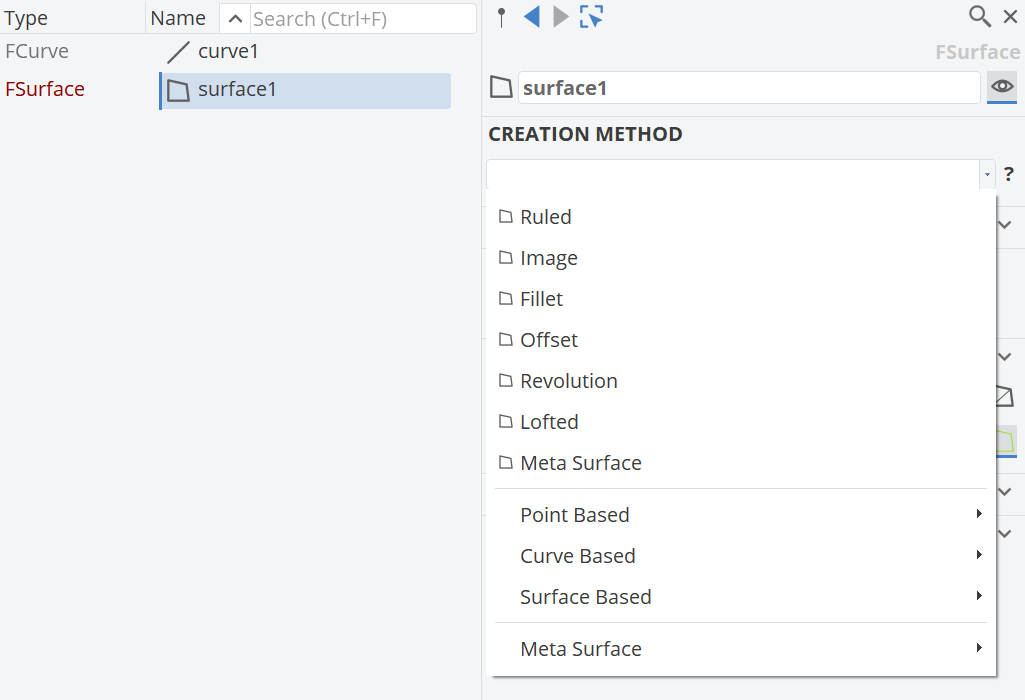
New generic point, curve and surface object types allow you to choose the creation method after the generation of the object and will give clues as to which method is suitable for the task you have to solve. You can also flexibly change the creation method later on, while designing your model, without breaking dependencies. It is no longer required to know all object types with their individual properties and make a decision upfront!
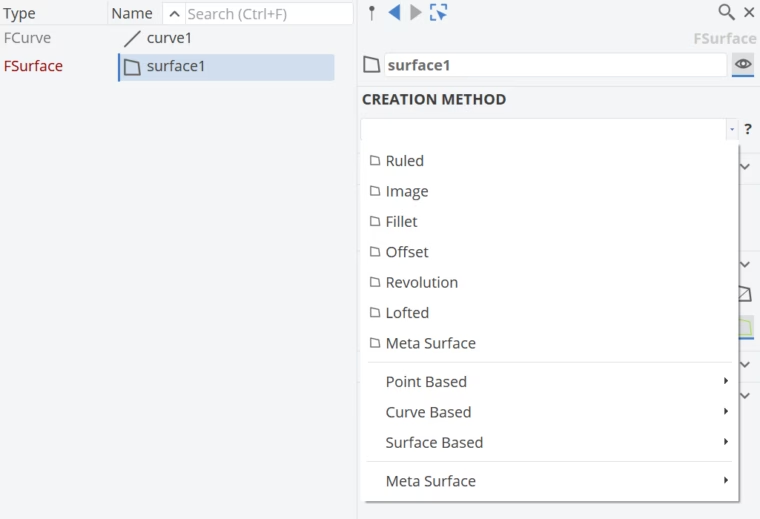
Dynamic types for point, curve and surface objects
Object Post-Processing Operations for Points, Curves, Surfaces, BReps, and more
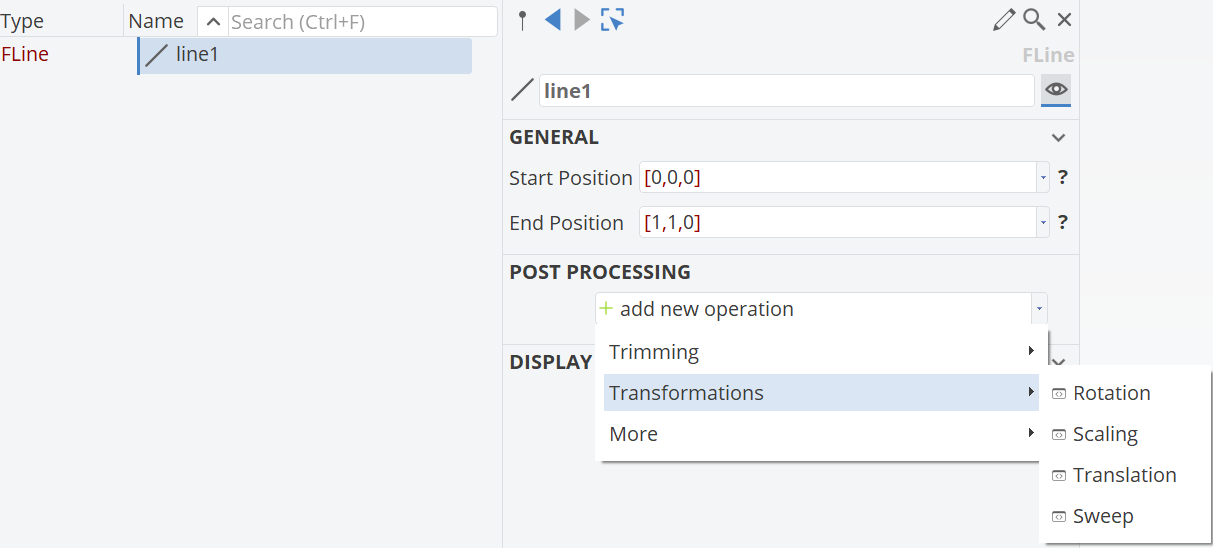
Object post-processing operations such as trimming, basic transformations, reversing, or extension for many object types let you directly modify them without the need for image or transformation objects. This speeds up the workflow and keeps the project structure slim and clean!
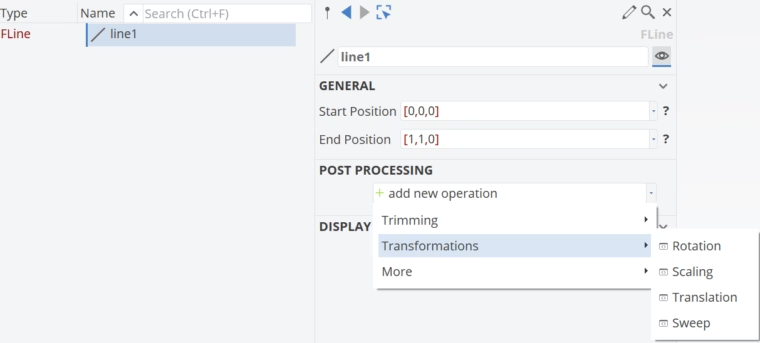
Object post-processing allows direct modification
Object Tree Search
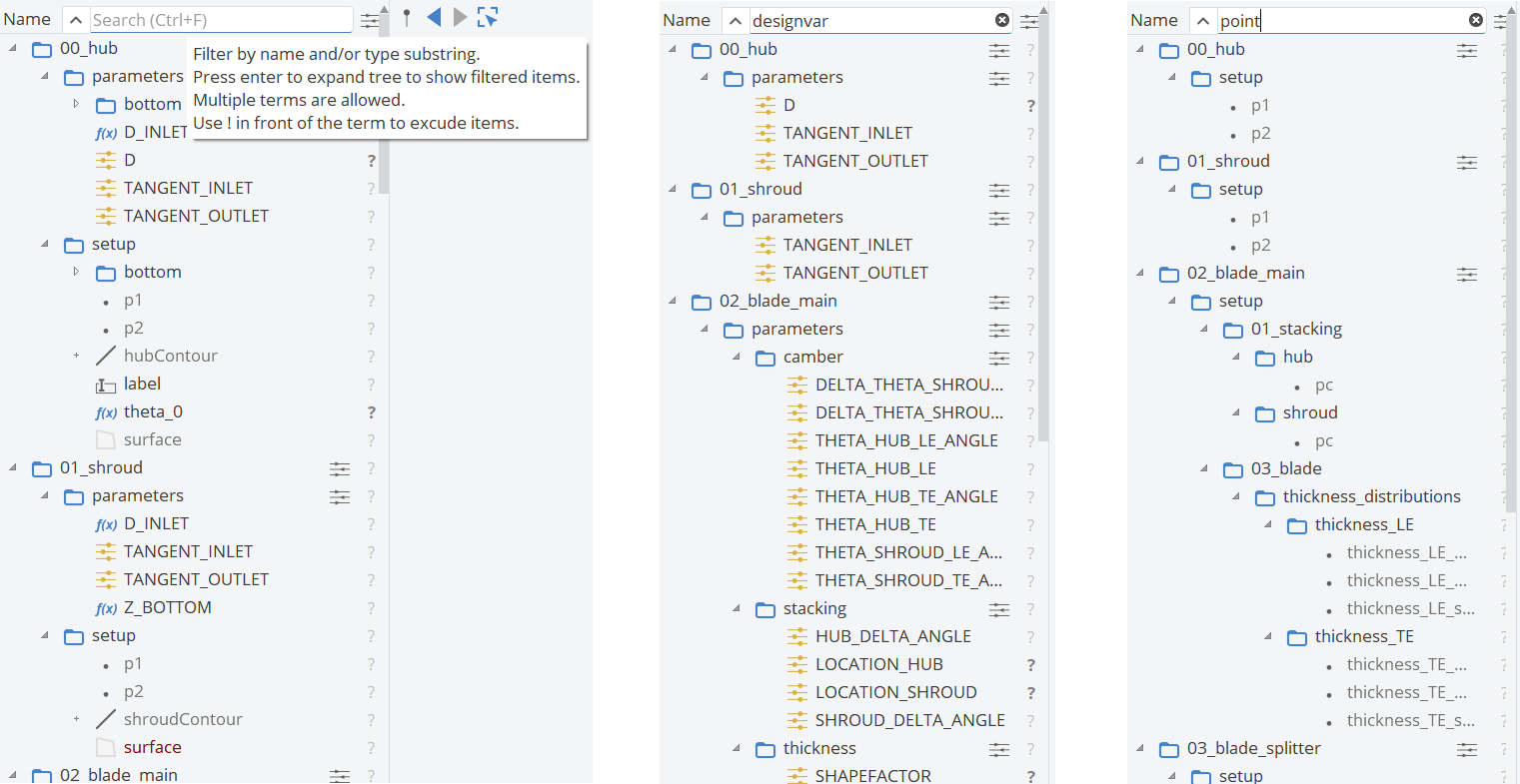
The new search functionality will help you to find your way around the object tree, especially of complex projects.
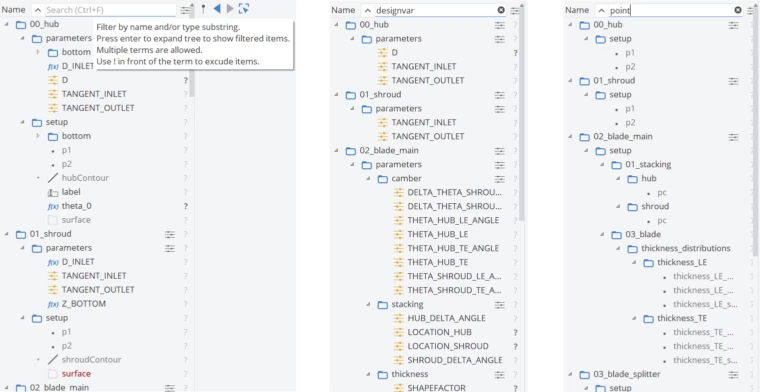
Object tree search
All the Help You Need
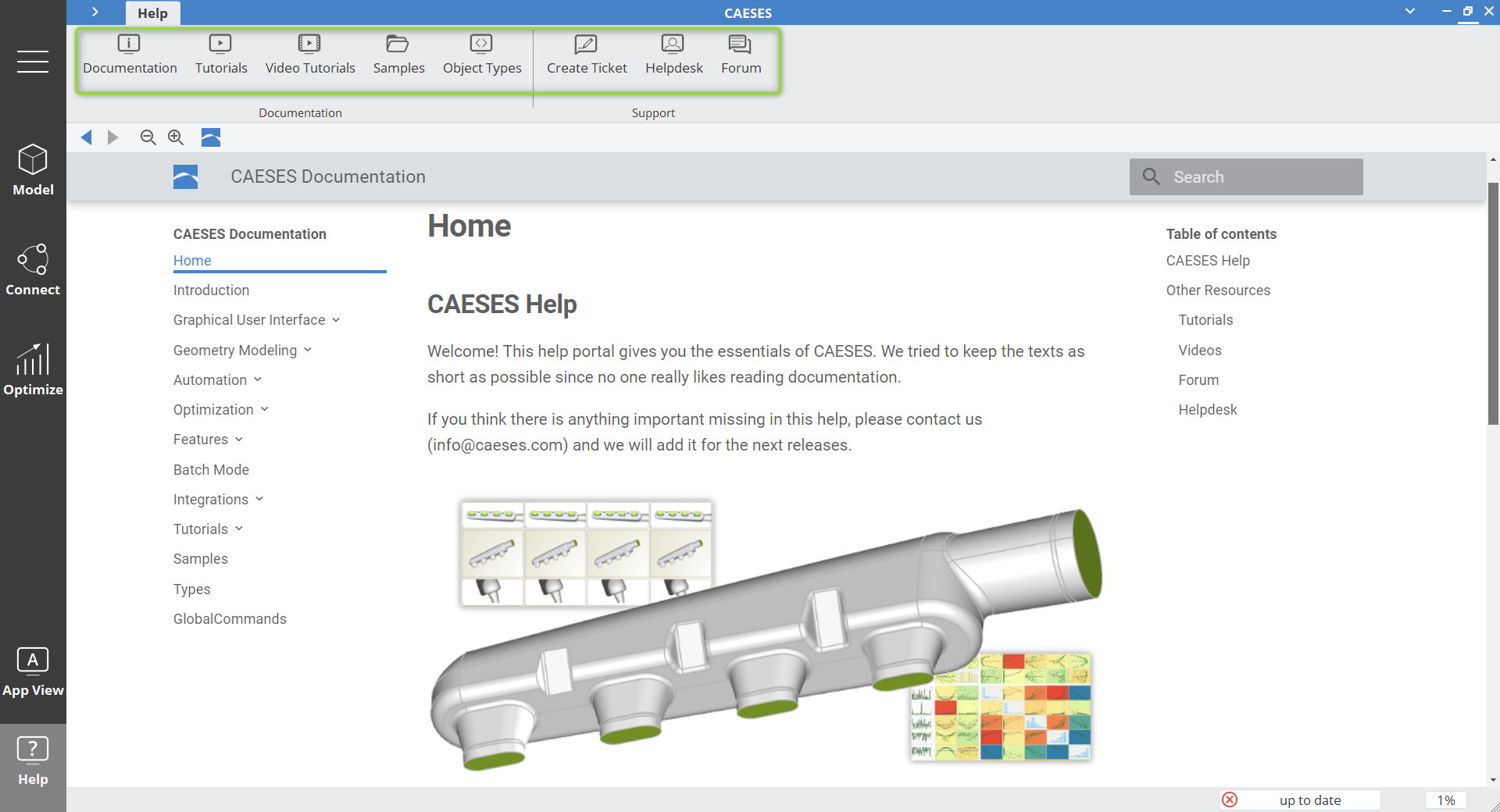
The overhauled and improved documentation center provides central access to all help and training resources from within CAESES. An extended search function will help you to quickly find information on object types, global commands, samples, and tutorials.
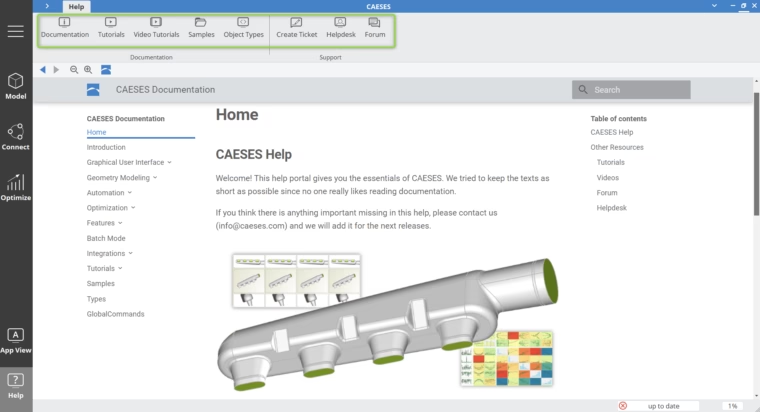
Improved documentation with extended search function
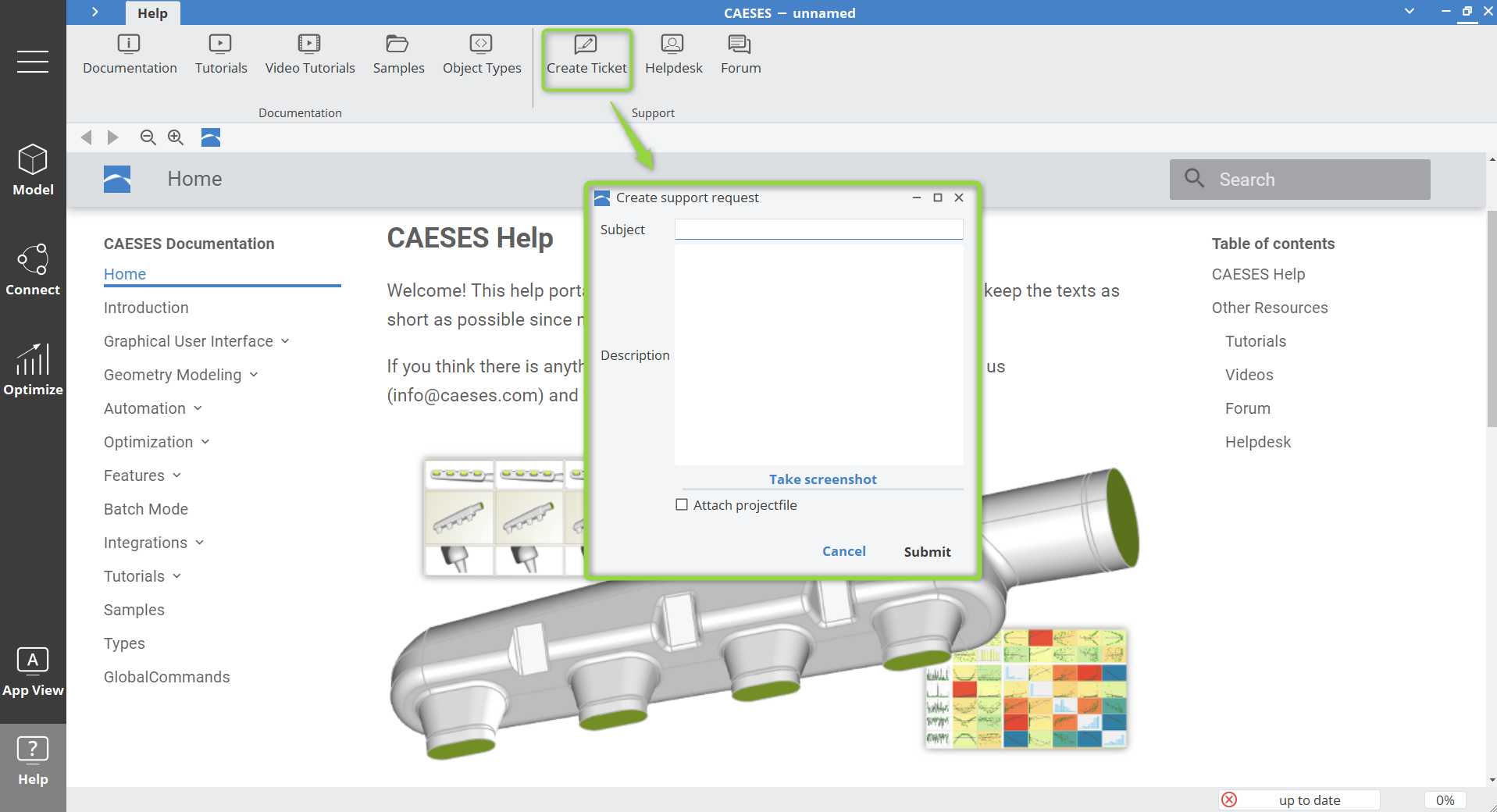
If you do not find what you are looking for or need to get in touch with us, the new helpdesk can also be accessed directly through the documentation browser within CAESES. Helpdesk tickets can be easily created from the CAESES user interface, with the options to attach screenshots of the user interface and the project file.
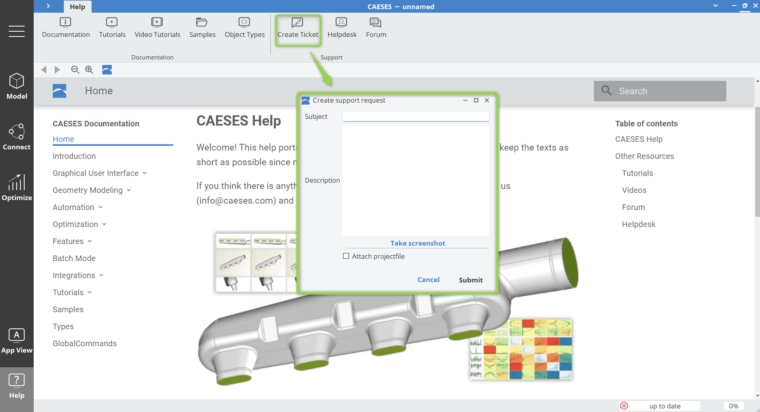
Create helpdesk tickets for faster help with our support team
License Administration
A new license-server and ‑management will facilitate the administration of your licenses. It offers improved support for multi-license setups and lets you now perform several administrative tasks, which previously required our support, e.g., adding users to your license or changing your hardware.
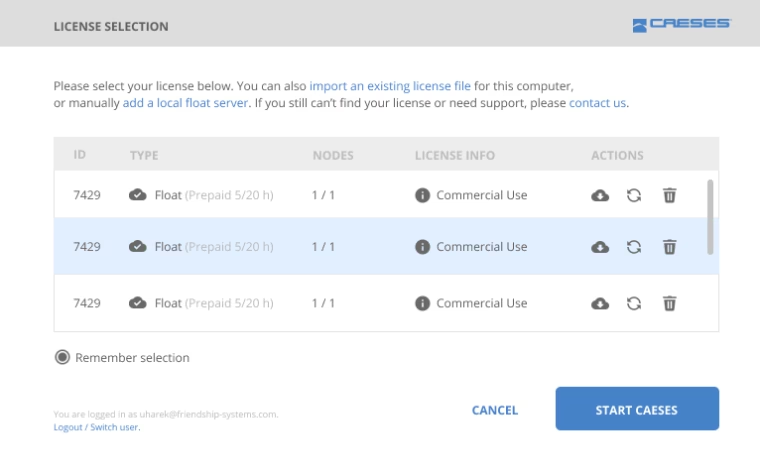
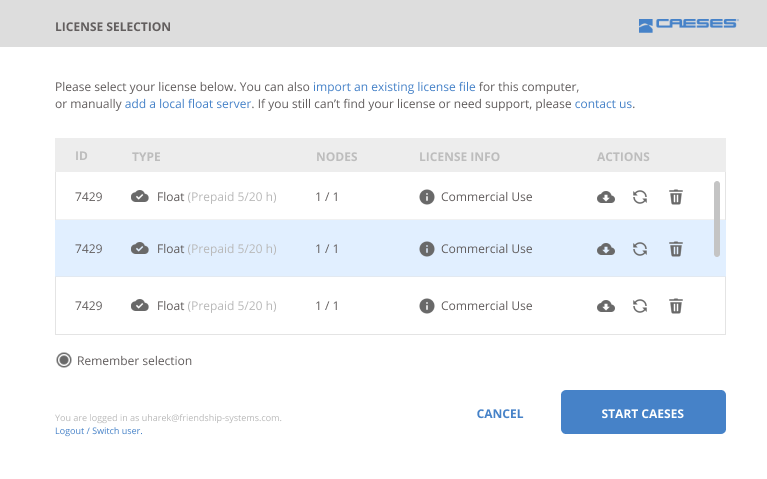
Improved license administration
Download
If you observe any issues or problems, please get in touch with us through the helpdesk or use the newly integrated ticket submission in the CAESES 5 Help workspace to support us in making it even better.
Follow Us
If you are interested in updates on CAESES®, then sign up for our newsletter. Don’t worry, we won’t bother you with too many emails. Of course, you can unsubscribe at any time.