CAESES 2026.2 is here – Better automation, better meshes, better exports

CAESES 2026.2 is now available! The latest release brings significant improvements to automation, triangulated geometry and data exchange. Highlights include headless screenshot rendering for batch and cluster workflows, a new default tessellation engine, extended tools for editing trimeshes, and more reliable geometry operations and exports.
Whether you’re running automated design studies, processing complex triangulated models or transferring geometry to downstream applications, CAESES 2026.2 offers new capabilities to make your workflows more efficient and robust.
Headless Screenshots: Automated visualization, even on clusters
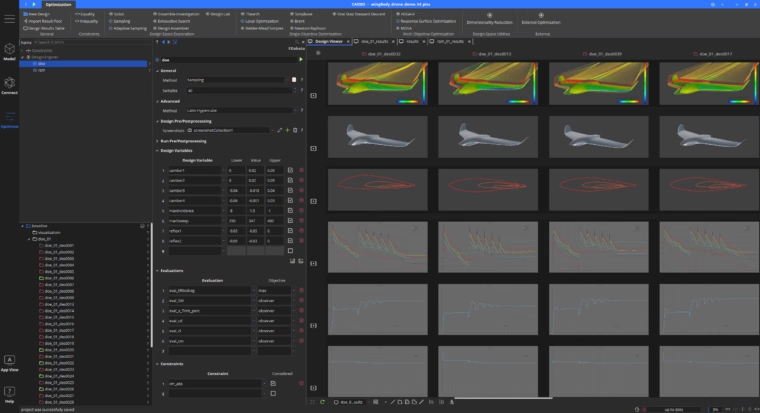
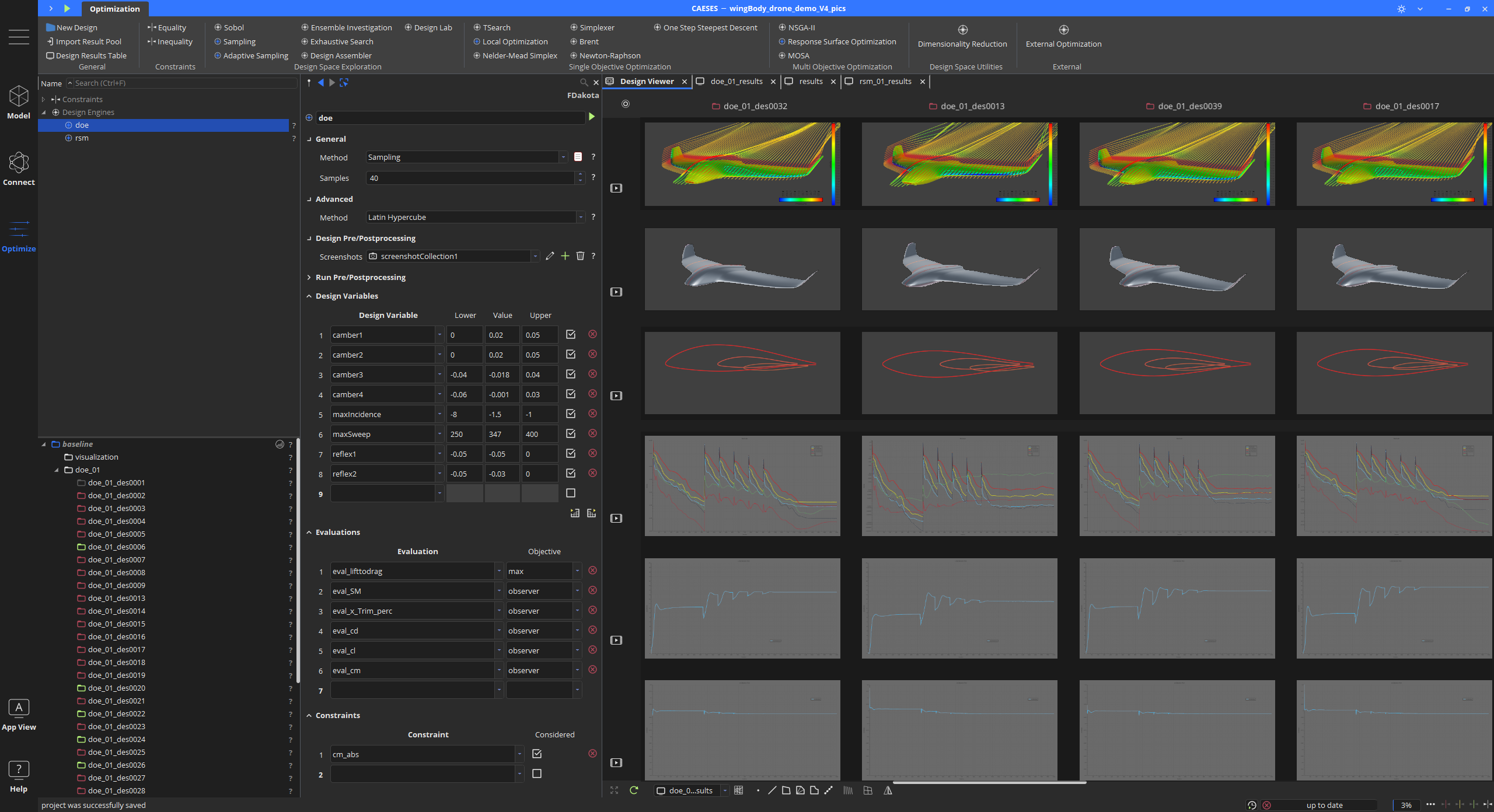
Until now, capturing screenshots in CAESES required an open 3D window. This meant that batch workflows, such as DoE studies and optimizations running on computing clusters, could generate results but not automatically produce visual documentation.
With CAESES 2026.2, that’s no longer a limitation. Screenshot collections can now be rendered without a graphical user interface, directly in console and batch mode. This works on Windows and Linux — including Linux cluster nodes without a display, X server, or graphics card.
What’s new?
- Automatic screenshots for every design: Design engines running in batch mode, including DoE studies and optimizations, can generate configured screenshots for every design and automatically add them to the design documentation.
- Consistent visual results: Screenshots reproduce the same appearance as in the GUI, including geometry, post-processing, color maps, backgrounds, lighting, annotations, legends and coordinate systems.
- Full scripting support: FSC scripts can explicitly execute screenshot collections, for example to generate images for automated reports.
- Configure once, render anywhere: Set up your views in the GUI as usual. Each screenshot stores its complete view state, including camera, visualization and scene settings. Multiple views of the same window can be saved in a single collection.
On Linux, CAESES uses software rendering by default, so no GPU is required.
Get started with the headless screenshots documentation
More Power and Flexibility for Trimeshes
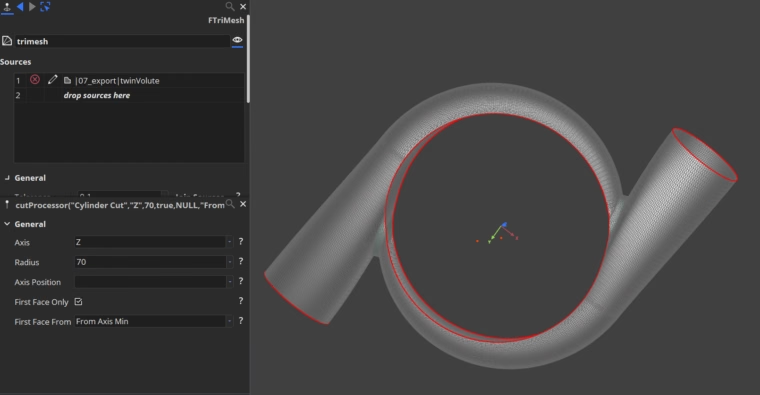
Triangulated geometry plays an increasingly important role in CAESES workflows, whether it comes from STL imports, 3D scans or tessellated CAD models.
CAESES 2026.2 expands the trimesh toolbox with several new operations, giving you more control over mesh editing and processing:
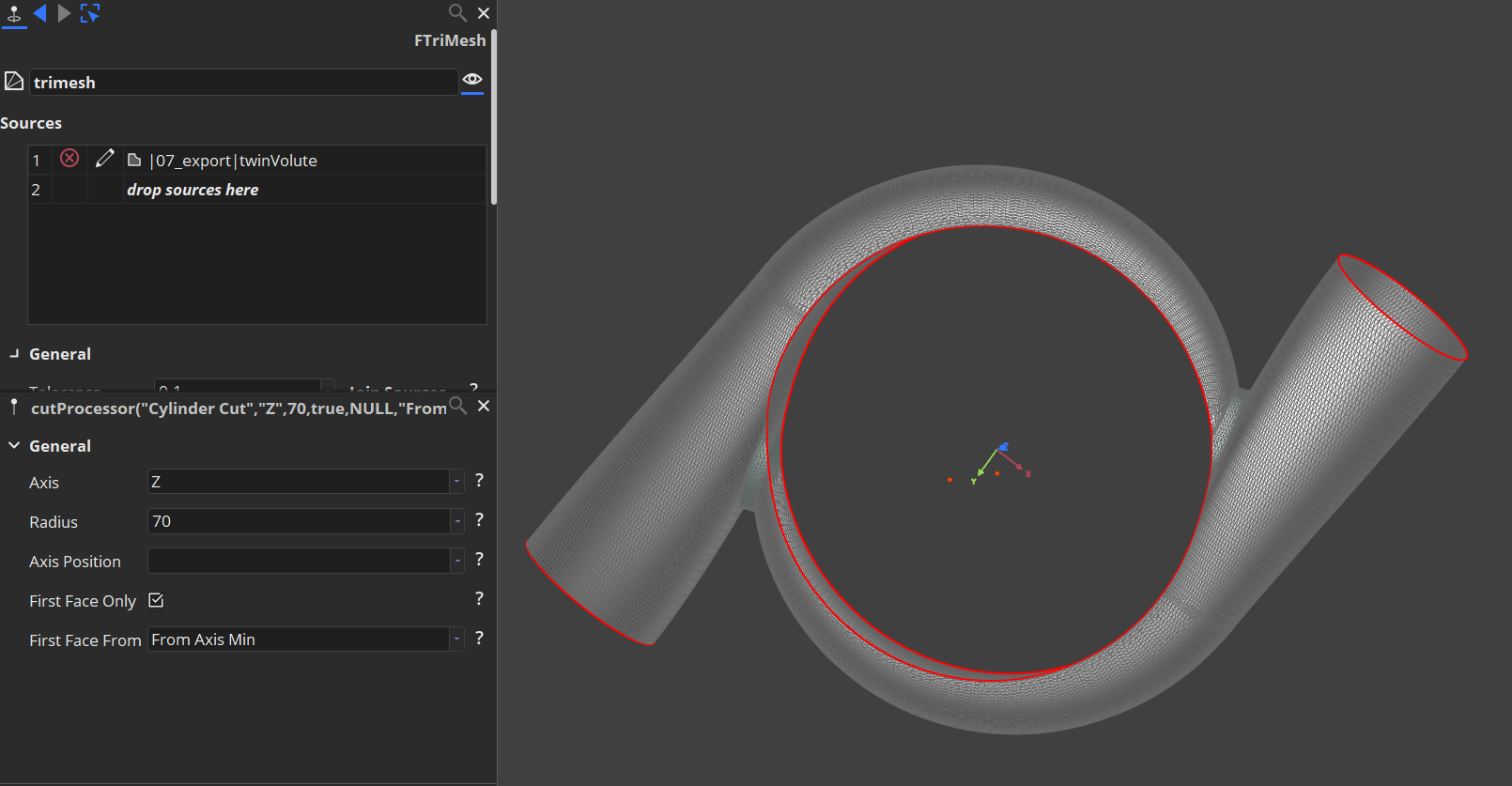
- Exact cylinder cut: Cut a mesh precisely at the cylinder surface instead of removing entire triangles. The operation takes an axis position and face selection as input.
- Subtract shell: Subtract a closed tool mesh from a trimesh. If the operation fails, CAESES provides information about the reason.
- Close planar holes: Fill planar openings in a mesh with a single operation.
- Remove colored patches: Remove mesh regions based on their assigned colors.
- Access boundary edges via script: The new getEdges() command returns the boundary edges of a mesh.
- Improved processing feedback: Errors and warnings from mesh processing are now reported directly on the trimesh.
These additions make working with triangulated geometry more versatile and provide better feedback when processing complex meshes.
A new tessellation engine
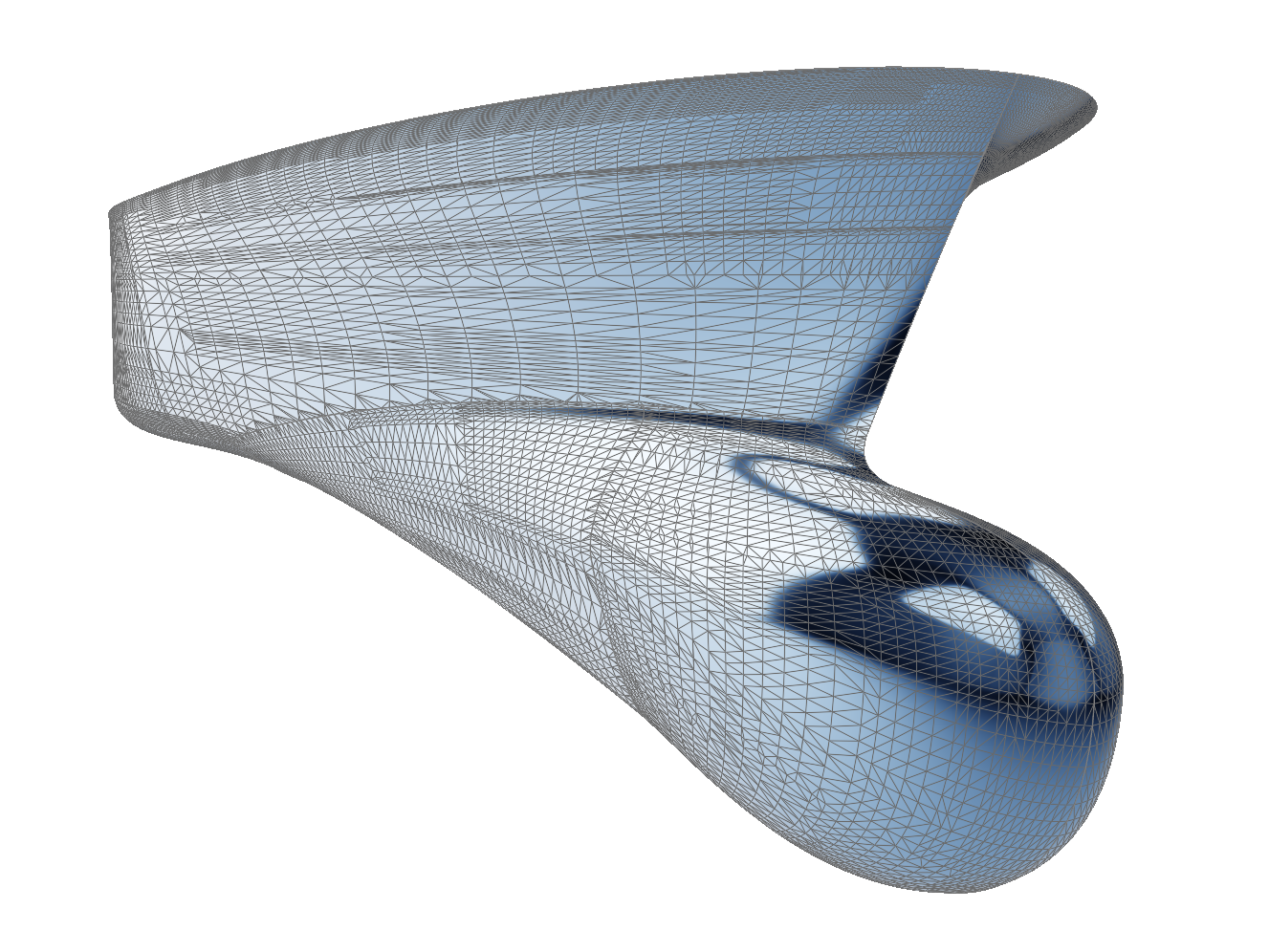
The quality of tessellation (= triangulation) has a direct impact on STL exports and many operations involving triangulated geometry. CAESES 2026.2 therefore introduces a newly developed tessellation engine.
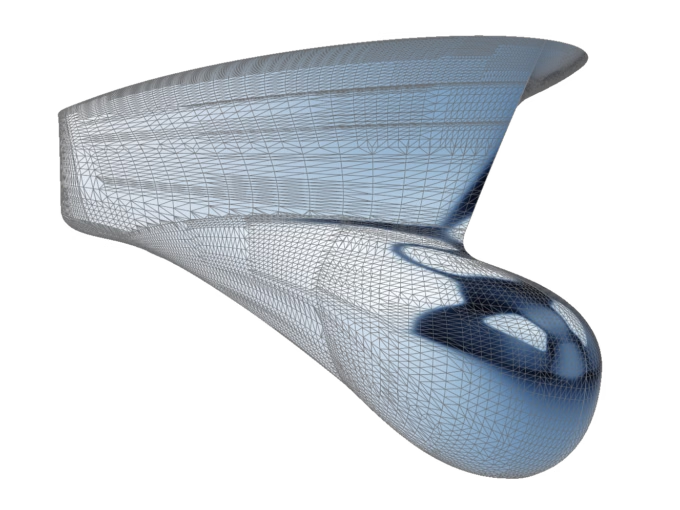
The new engine improves robustness and flexibility when working with complex geometry, without requiring any changes to your project settings.
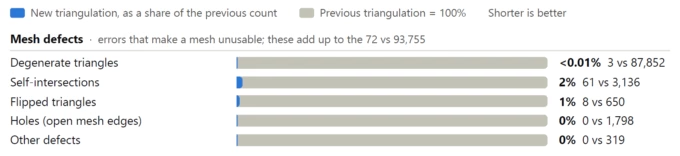
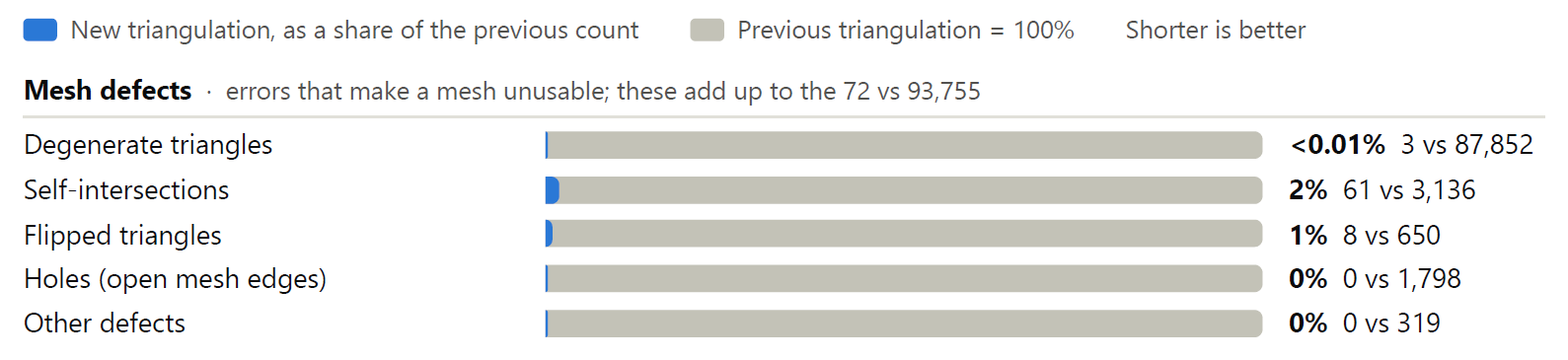
Mesh defects in comparison with previous tessellation engine
Key improvements include:
- New default tessellation: BReps and other geometry are now tessellated using the new engine out of the box. There is no need to adjust your project settings.
- More robust inside/outside detection: CAESES determines whether a sub-surface lies inside or outside using a majority vote across multiple rays. Triangle winding is used to determine face orientation, improving reliability for challenging geometries.
- Cuts against implicit surfaces: Plane cutting has been generalized, allowing triangulations to be cut against implicit surfaces while maintaining correct face normals.
- Targeted edge refinement: Restrict edge refinement to a specific band, adding resolution only where it is needed.
- Improved downstream compatibility: The Sectional Area Curve now accepts triangulated geometry as input, and plane cuts on trimeshes return correct section properties.
Parasolid export — Face and edge colors preserved
Since CAESES 2026.1, the Parasolid export has been included in the CAESES Standard Edition.
Colors assigned in CAESES are preserved when exporting Parasolid files and can be used for boundary condition definitions in downstream CAD and simulation tools such as STAR-CCM+ and Ansys.
More improvements across CAESES
In addition to the major features, CAESES 2026.2 includes numerous fixes and enhancements across the software.
A selection of further improvements:
- BReps: More robust handling of closed non-manifold BReps, including improvements to getVolume(), keepIntersection and negative region volumes. Area and volume moment commands now also return correct results for solid BReps.
- Plane cuts: New closure checks and in-plane bounding boxes, along with several fixes for open meshes, trimeshes and bounding boxes.
- Periodic BReps: Support for defining a custom series of angles.
- Turbo workflow: The flank-millable blade matches the construction side surfaces more accurately.
Get CAESES 2026.2
CAESES 2026.2 is available now!
Explore the new features and improvements and take advantage of more powerful automation and geometry processing capabilities.
For a complete overview, visit the CAESES 2026.2 Changelog